Intent — Discover Who’s Actively Searching for Your Solutions
The Intent feature in graph8 helps you find real-time buying signals. It shows what people and companies are researching about topics related to your business. It finds out who wants your product before they contact you.
And for that, it uses advanced AI to look at billions of behaviours and search signals.
With Intent, you can see which topics, products, or competitors your prospects are exploring. You can also take action right from the same dashboard.
Why Intent Matters
Find buyers early: Reach prospects before they speak to competitors.
Target smarter: Identify accounts that are already showing interest in your solutions.
Personalize campaigns: Align outreach with what your audience is researching.
Act in real time: Use live intent signals to focus on the hottest opportunities.
How graph8 Intent Works
graph8’s AI engine constantly scans and studies digital behaviours. It looks at searches, content engagement, and research activity to identify patterns of purchase intent.
Then it maps these signals to people and companies in your database. Then, it ranks them by how likely they are to buy. Finally, it gives you insights you can act on right away.
Key Components
1. Intent Topics
graph8 shows NLP-generated topics that reflect key buying interests in your market.
Predefined categories that cover common B2B research areas.
Automatically updated as your audience’s research behaviour changes.
Trend analysis helps you spot emerging interest across your ICP.
Tip: You can view trending intent topics or add your own.
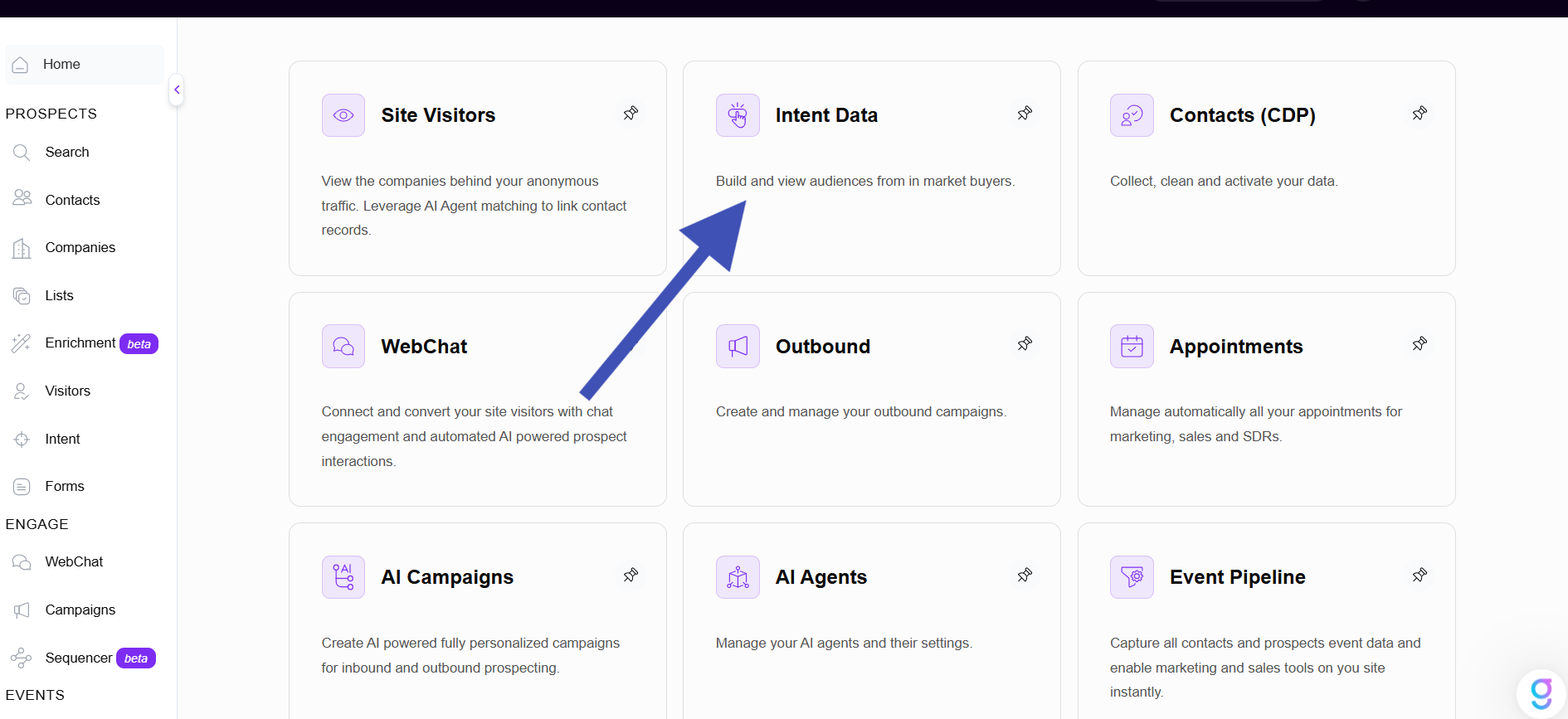
2. Intent Keywords
You can add and manage your own buying intent keywords to tailor your signal tracking. These keywords tell graph8 which topics to check for relevant buying activity.
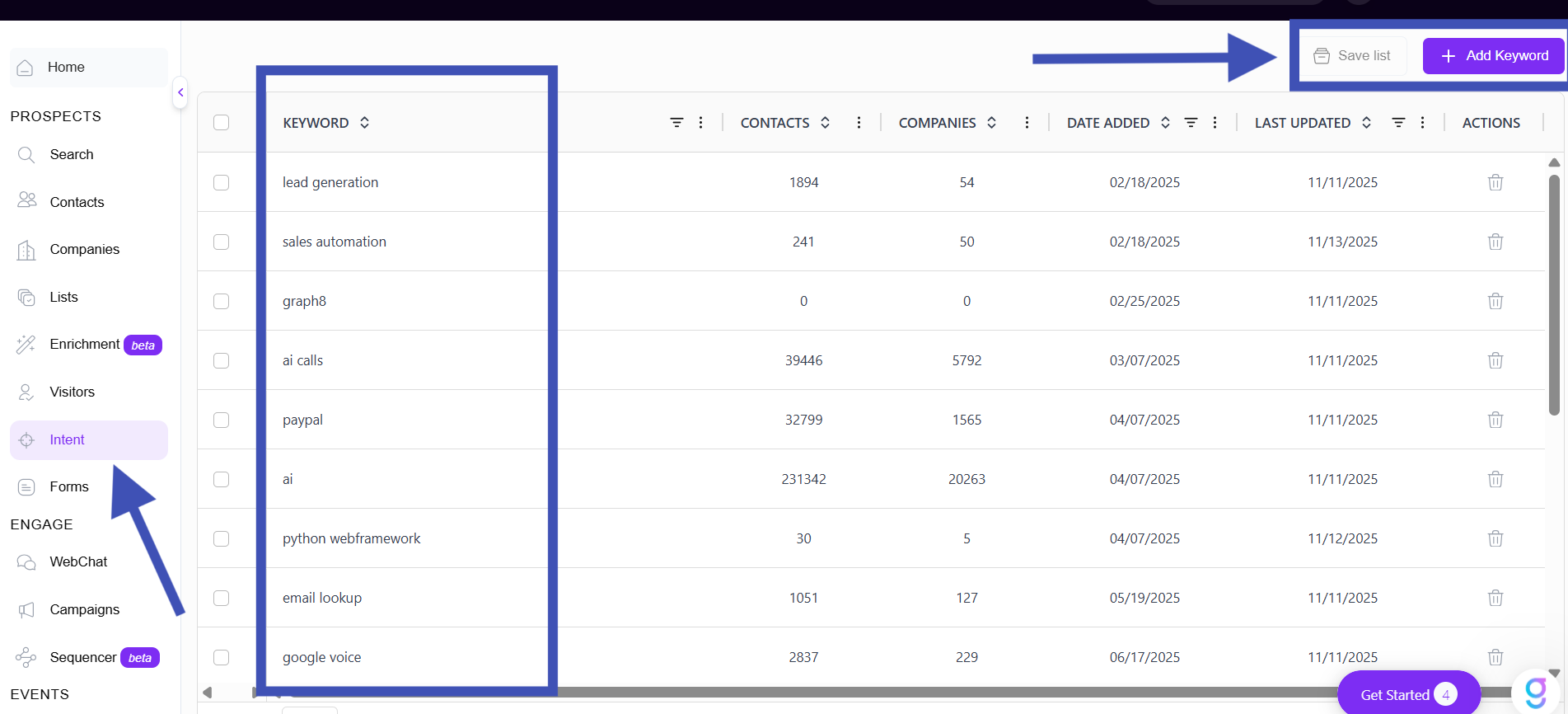
To add a new intent keyword:
Navigate to Intent → Keywords in the left sidebar (under Prospects).
Review existing tracked keywords; including the date added and last update.
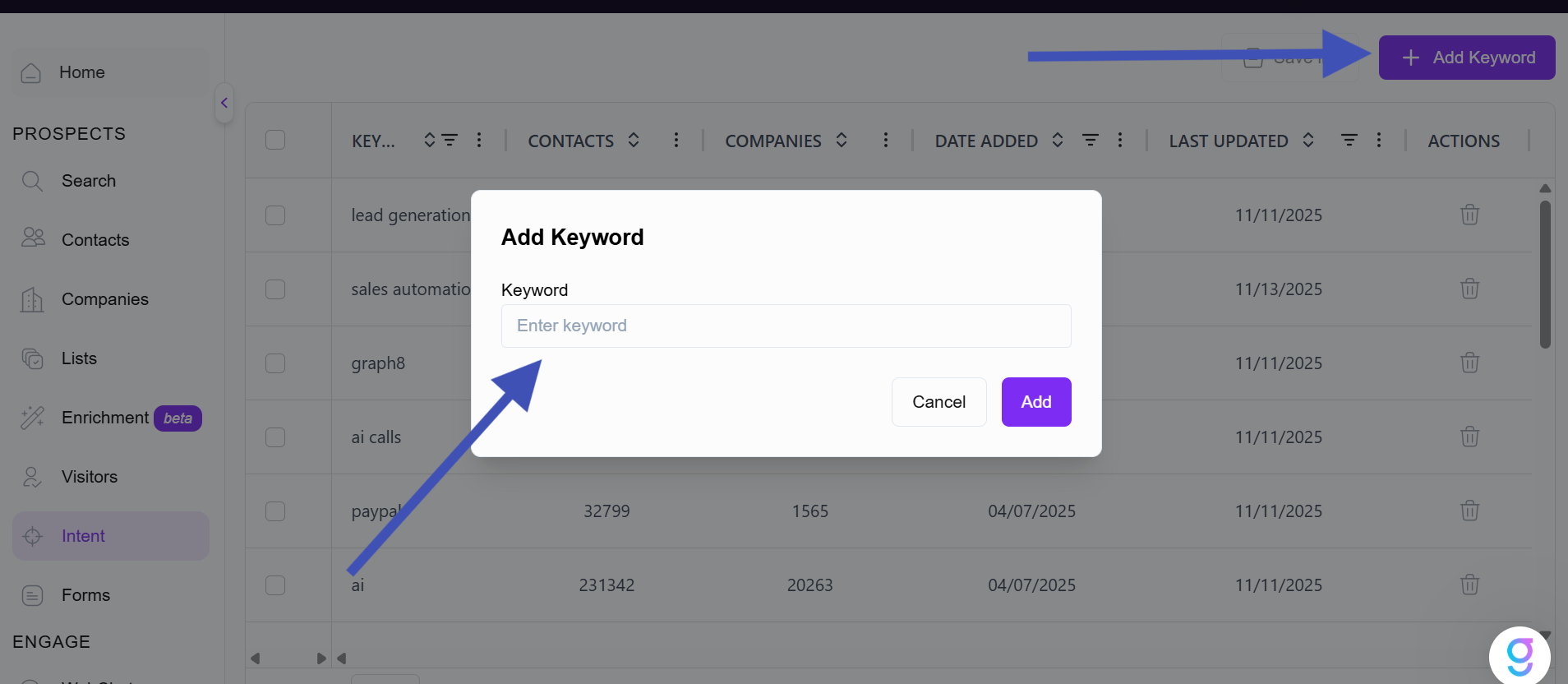
Click + Add Keyword (top right).
In the pop-up, type your desired keyword.
Choose competitor names, product categories, or industry terms relevant to your business.
Example: “AI Sales Assistant,” “Outbound Automation,” “Data Enrichment Platform.”
Click Add to confirm.
graph8 will start tracking this keyword right away. It will show prospects looking into it in the People and Companies tabs.
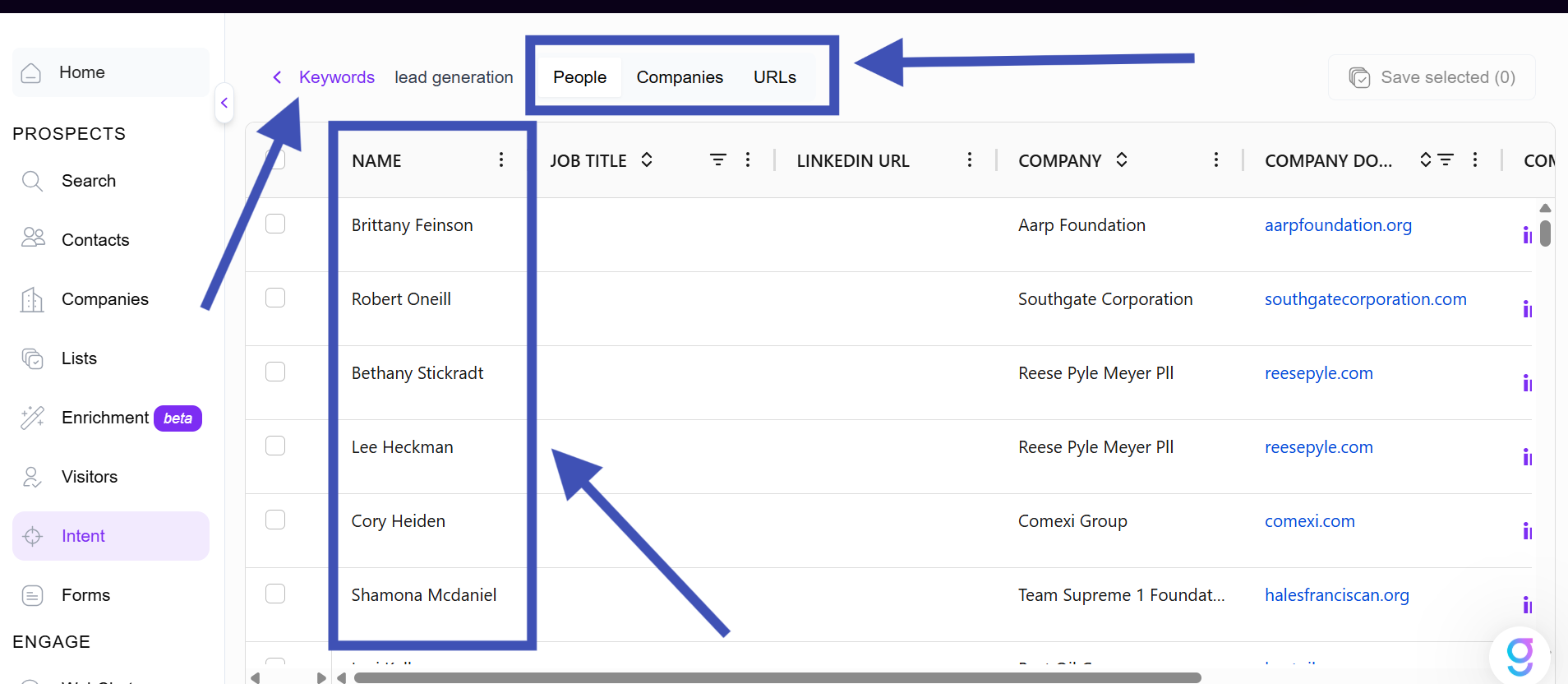
3. People and Companies tabs
After you add your keywords as shown above, graph8 finds people and companies talking about those topics online.
People Tab
This tab shows individual prospects who have shown intent around your chosen keywords. Columns typically include:
Name: Click to open their contact profile.
Company: Their associated organization.
Intent Topic: The keyword or topic that triggered the match.
Last Seen: Most recent activity time.
Engagement Level: Strength of their intent signal.
Companies Tab
This tab displays aggregated intent activity at the company level, including:
Company Name: Click to view the full profile.
Industry / Size / Location: Firmographic details.
Intent Keywords: Topics the company is researching.
Intent Score: Ranking based on the volume and recency of engagement.
Filter by keyword, topic, date, or industry to narrow your focus and build target lists fast.
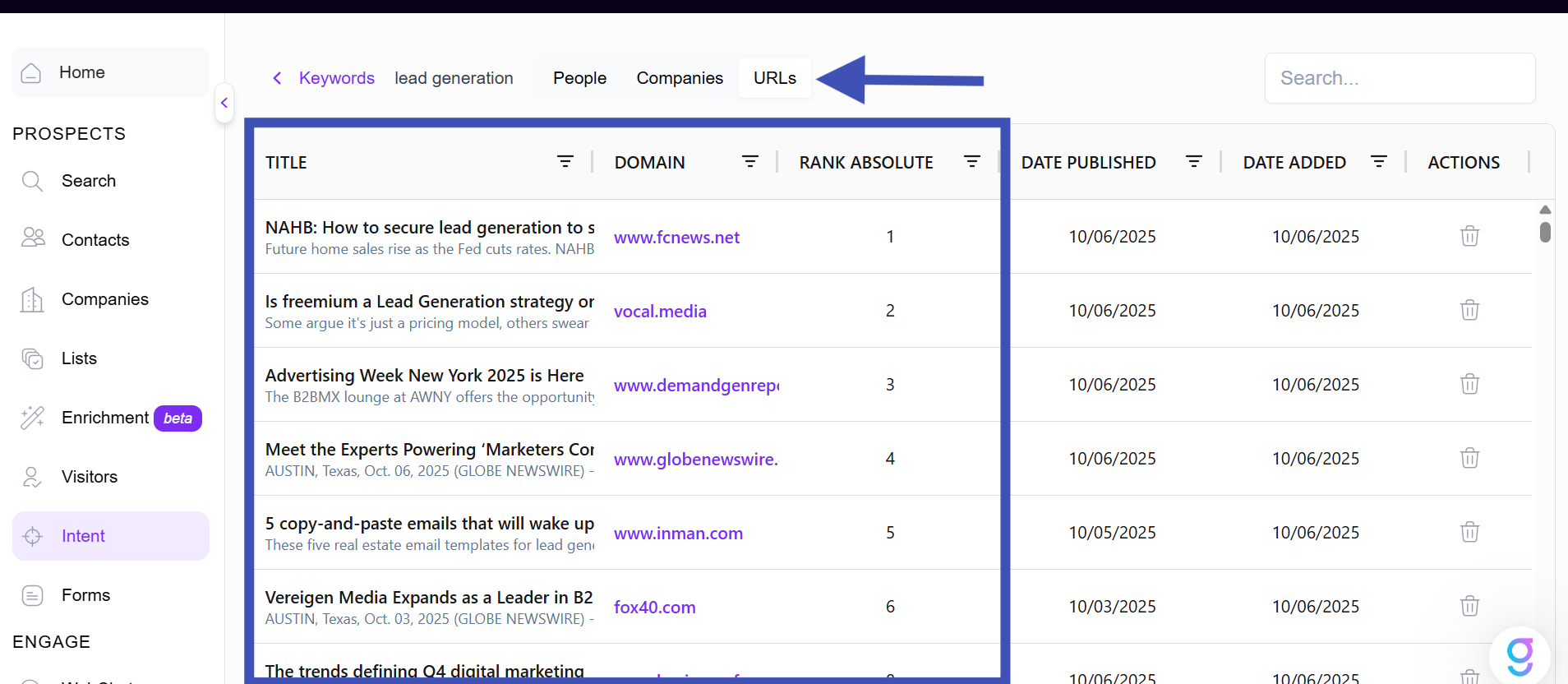
4. Refining Tracked URLs
We collect intent data from thousands of tracked web sources. You can review and manage these URLs in the URLs tab:
See which sites are currently tracked.
Remove irrelevant or low-quality sources.
Add new domains that are more aligned with your market.
This ensures your intent signals stay focused and relevant.
Using Intent in Search and Campaigns
You can use Intent Keywords directly within graph8 Search and Campaigns.
In Search
Combine many intent topics to build hyper-targeted prospect lists.
Example: Find marketing managers at companies researching “AI lead generation.”
In Campaigns
Use intent-based filters to build campaigns targeting people or companies showing recent activity.
Personalize outreach with AI-generated messages that align with the topics they’re researching.
Making the Most of graph8 Intent
Here are a few ways to use intent data effectively inside your graph8 workspace:
Prioritise Hot Accounts: Sort companies by intent score or last-seen date to focus on the most recent interest.
Automate Workflows: Trigger alerts or sequences when prospects show new intent.
Personalize Outreach: Reference topics or trends your prospects are actively researching.
Identify Buying Committees: When several people from a company express interest, add them to an Account View.
Bottom Line
So, graph8 Intent feature helps you see who’s ready to buy, what they care about, and when to reach out. graph8 uses real-time data, accurate scoring, and smooth campaign integration. It transforms intent signals into valuable pipeline opportunities.
Need Help?
If you need any assistance using Intent or have questions about how to get the most out of buyer intent data:
Visit the graph8 Knowledge Base for detailed guides and step-by-step tutorials.
To chat with our support team, click the chat icon at the bottom-right of any page.
Or email us directly at support@graph8.com.
We’re here to help you understand your audience and turn buyer intent into real engagement.
Please authenticate to join the conversation.
In Review
Feature Request
10 months ago

uzman ali
Subscribe to post
Get notified by email when there are changes.
In Review
Feature Request
10 months ago
uzman ali
Subscribe to post
Get notified by email when there are changes.